PayMeBlue
Blue started with a simple but tricky question: “how do we make everyday payments work better in the real world?” Not just in theory, but at checkout counters, busy stores, and moments where speed really matters. I led the design of Blue’s in-store payment experiences, shaping how payments are made through barcodes.

CONTEXT: THE CHALLENGE
Nigeria’s payment ecosystem felt like a bit of a paradox. Digital payments were growing fast, smartphones were everywhere, and transfers and cards were becoming the norm. Yet everyday checkout experiences in-store still felt stressful. Networks went down. Card payments declined, but customers were debited. Bank transfers worked, but that often meant app-switching and that awkward “have you received it yet?” pause.
Technically, the "digital transformation" had happened, but we still weren’t there yet. We were left with a system that was fragmented and frankly, a massive headache for the people actually using it.
Blue already had an app that was built for peer-to-peer (P2P) payments — BluePersonal for individuals and BlueBusiness for businesses, allowing people send, receive, and request money through QR codes, phone numbers and direct transfers. This gave us an edge and a pretty solid foundation to build on. Our goal was to simplify the in-store payment process, especially at checkout counters, busy stores, and moments where speed really mattered. So everything we did revolved around these key goals:
📱
Build an ecosystem where a transaction is as simple as a tap or a scan
✅
Ensure fewer failed payments and smoother checkouts
⏳
Reduce the time businesses spend reconciling transactions
🤝🏽
Create a growing sense of trust between customers and businesses
THE PROCESS
Gathering Insights
Working on Blue meant thinking deeply about real-world payment behaviour, “what slows people down at checkout? where do things break?” We spent a lot of time talking to businesses and consumers that dealt with payments all day, every day — supermarkets, restaurants, fuel stations, and other physical stores. These were people who had lived through POS failures, peak-hour chaos, and the never-ending back-and-forth of confirming payments.
Everyone wanted payments to move quickly, be easy to confirm, and not interrupt the rhythm of their day. Checkout wasn’t just a step in the journey, it was the moment where everything either worked … or fell apart. We had a lot of consumers talk about times when they got to the counter at a store and just abandoned their shopping-carts and left, due to long queues or issues with payments. (I could totally relate! 🫠)
At the end of our research, we had a much clearer picture of the pain points and gaps in existing solutions, so designs kicked off right after.
“... as simple as a tap or a scan”
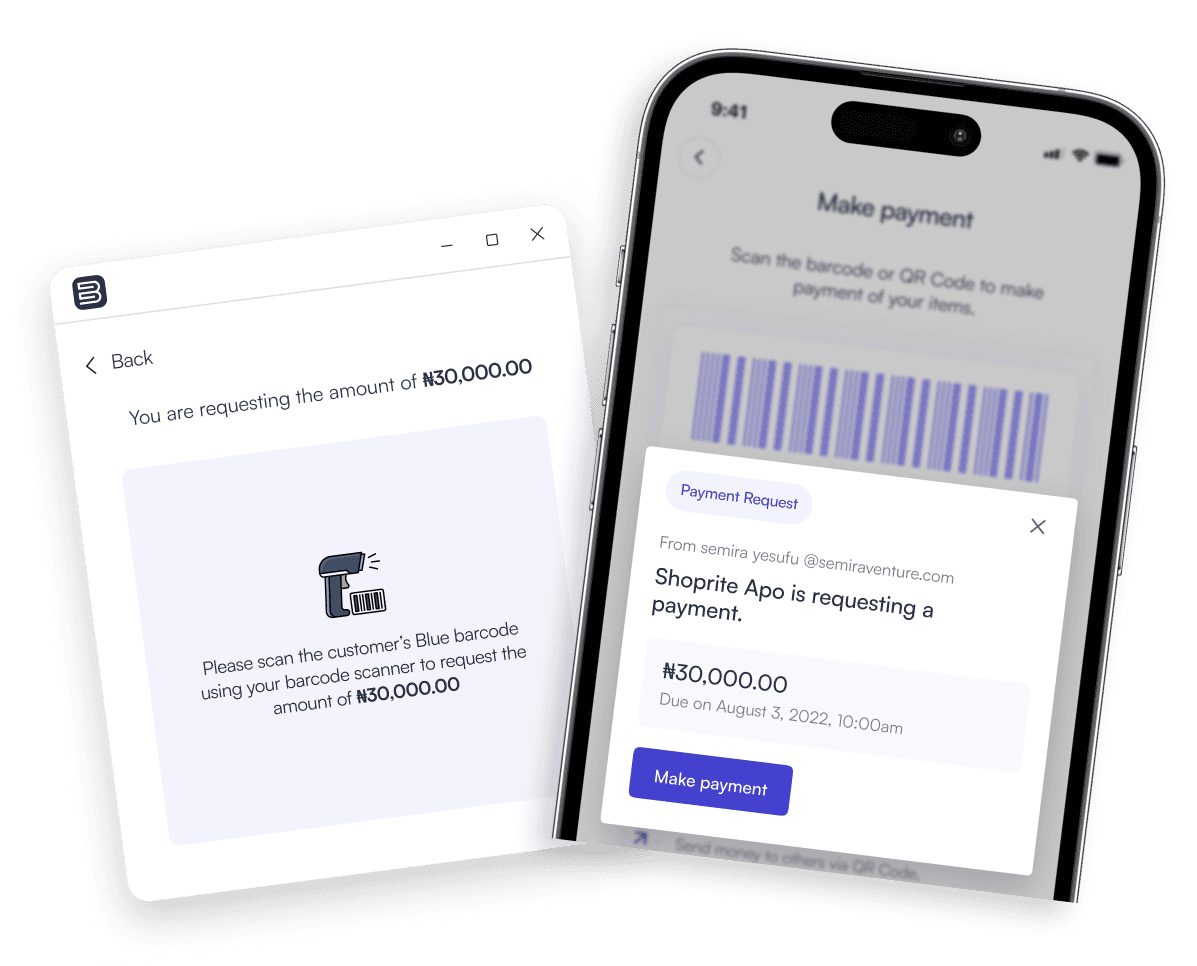
From the research, one thing became clear: businesses needed a payment flow that worked smoothly at the counter and fit naturally into their existing POS inventory workflows. That insight led to the BlueBusiness Desktop App, a dedicated experience for handling in-store payments using barcodes.
Like I mentioned earlier, we already had a P2P payment app for individuals and businesses, so we weren't building from scratch, just extending into new territory. Because payments happened entirely within the Blue ecosystem, both the cashier and the customer could see and confirm transactions in real time
The flow itself was intentionally simple. Three steps and that was it!
On the Blue Desktop App, the cashier simply entered the amount to be received, scanned the customer's Blue barcode, the customer received a notification with the requested amount and authorised with their PIN or biometrics. And the payment was instantly received and confirmed by the cashier. No guessing, no waiting, no awkward “has it entered?” moment.
It really was that…SIMPLE. You can check it out in the screens below.
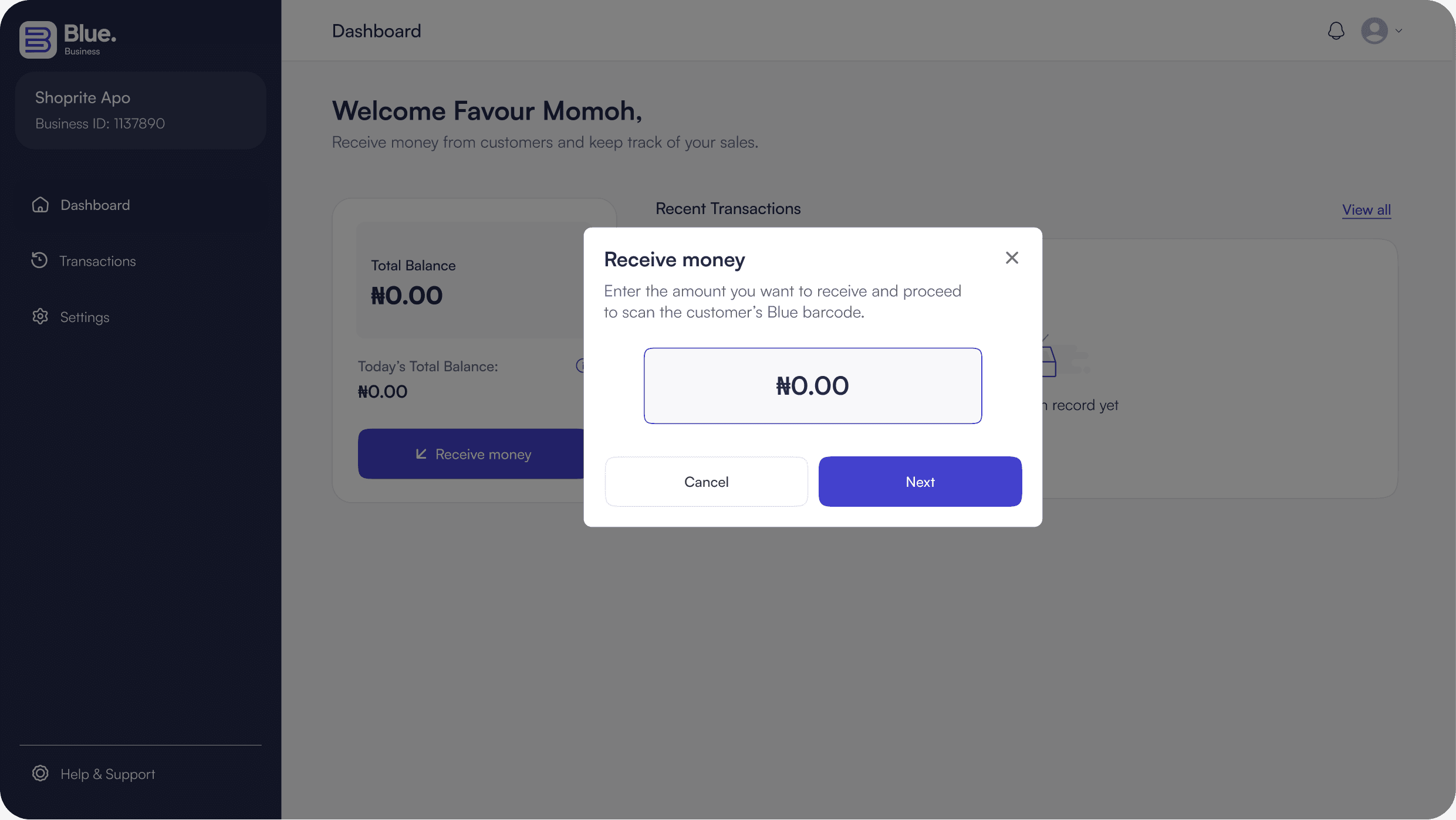
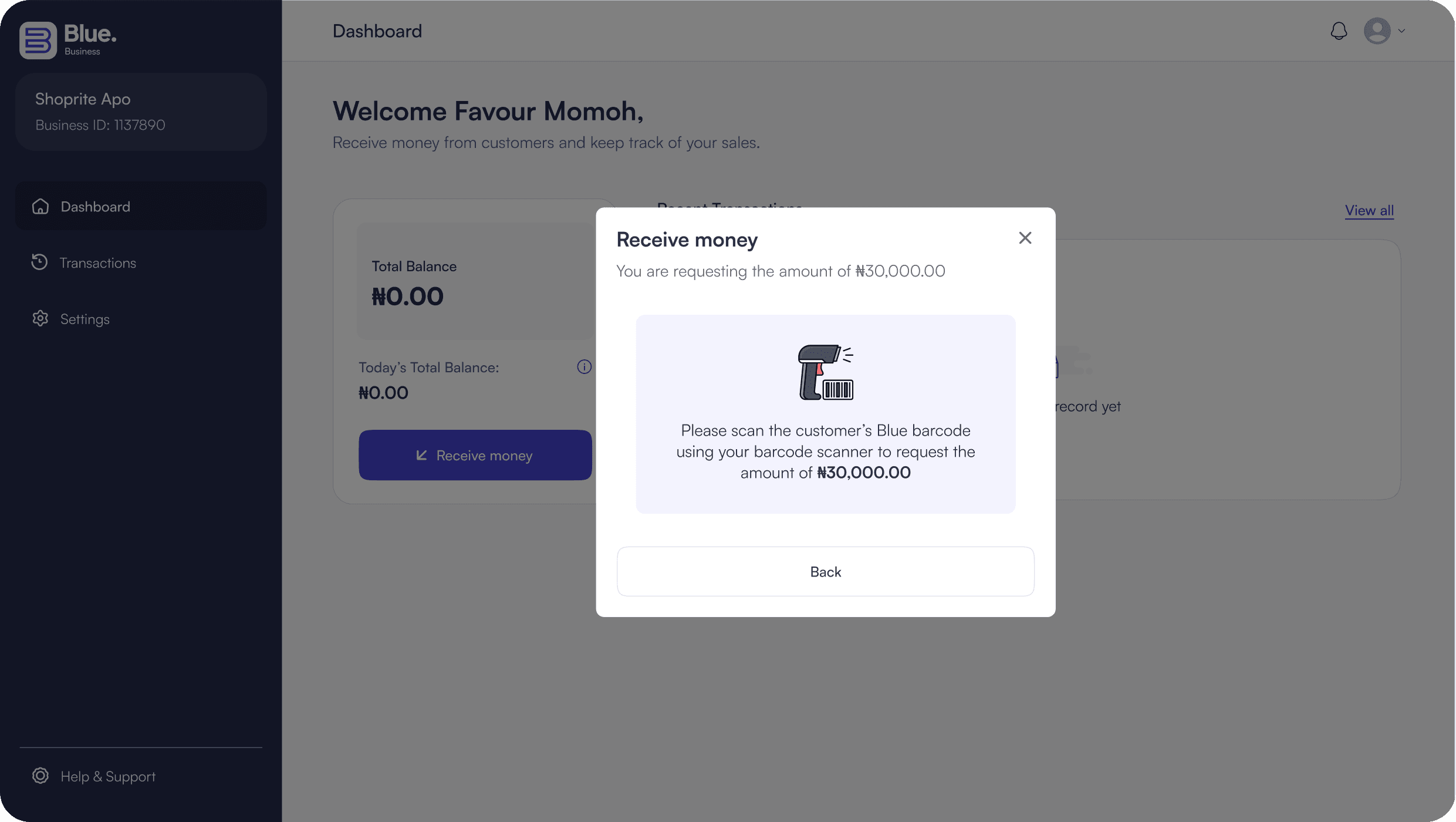
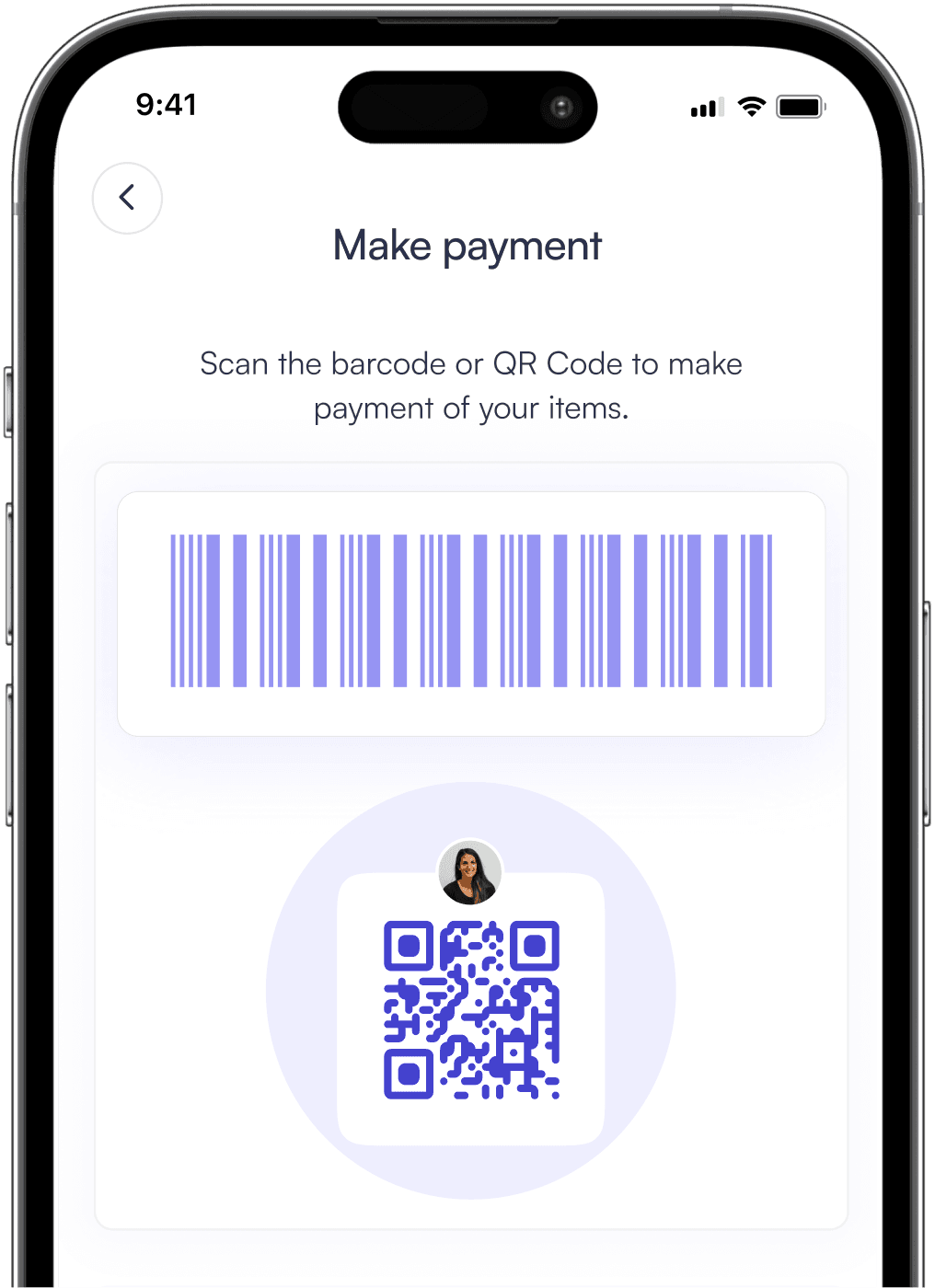
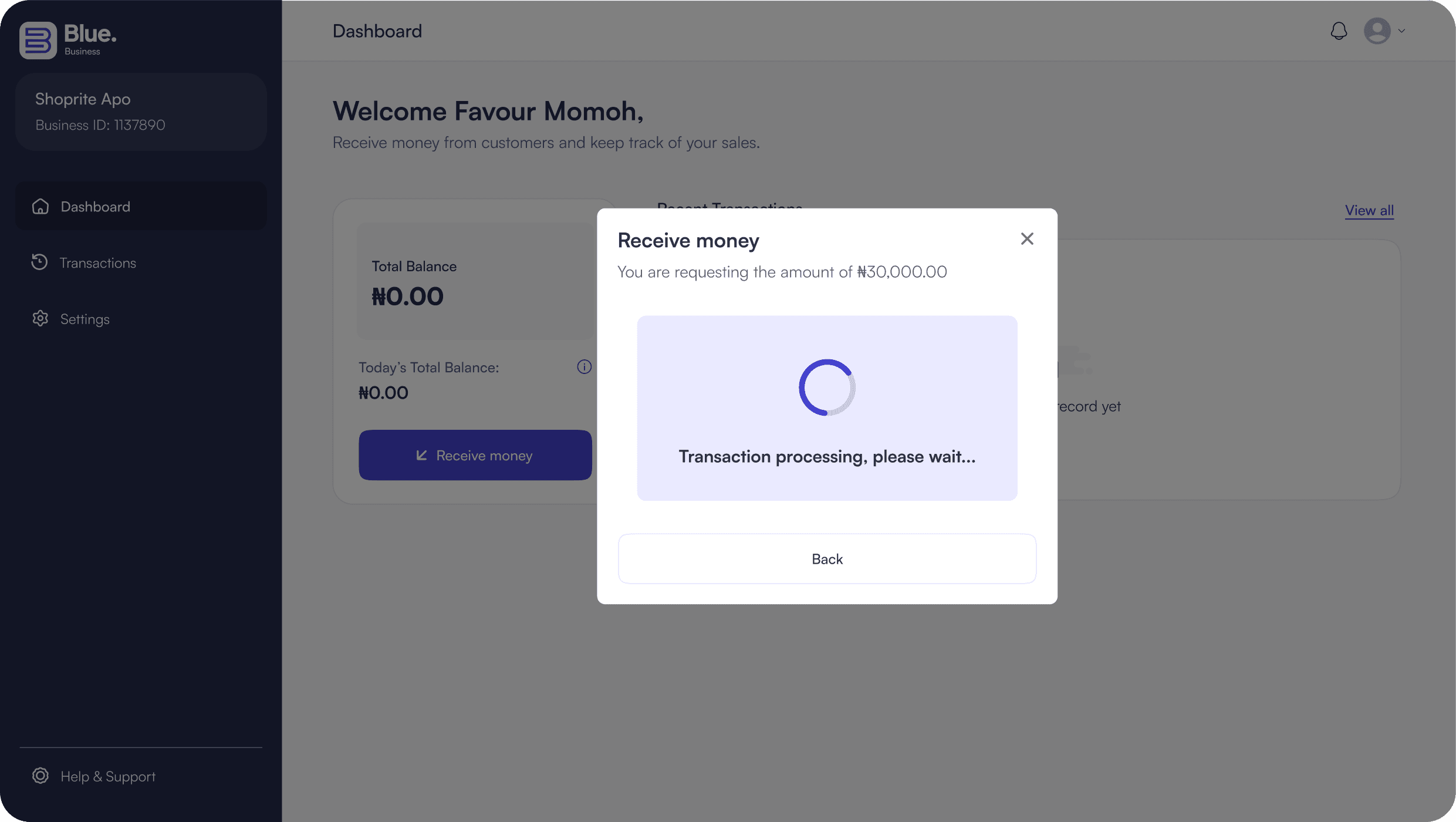
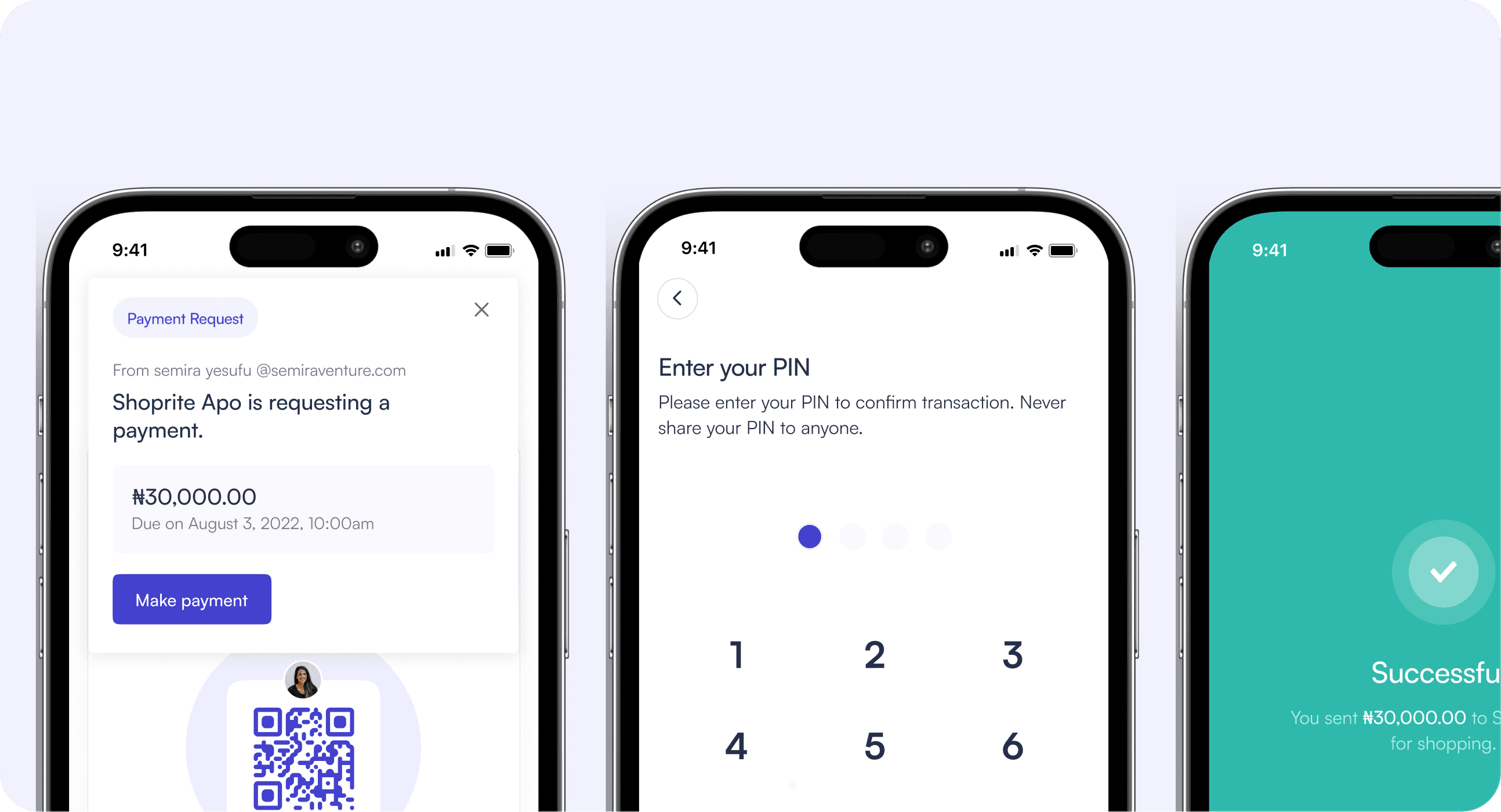
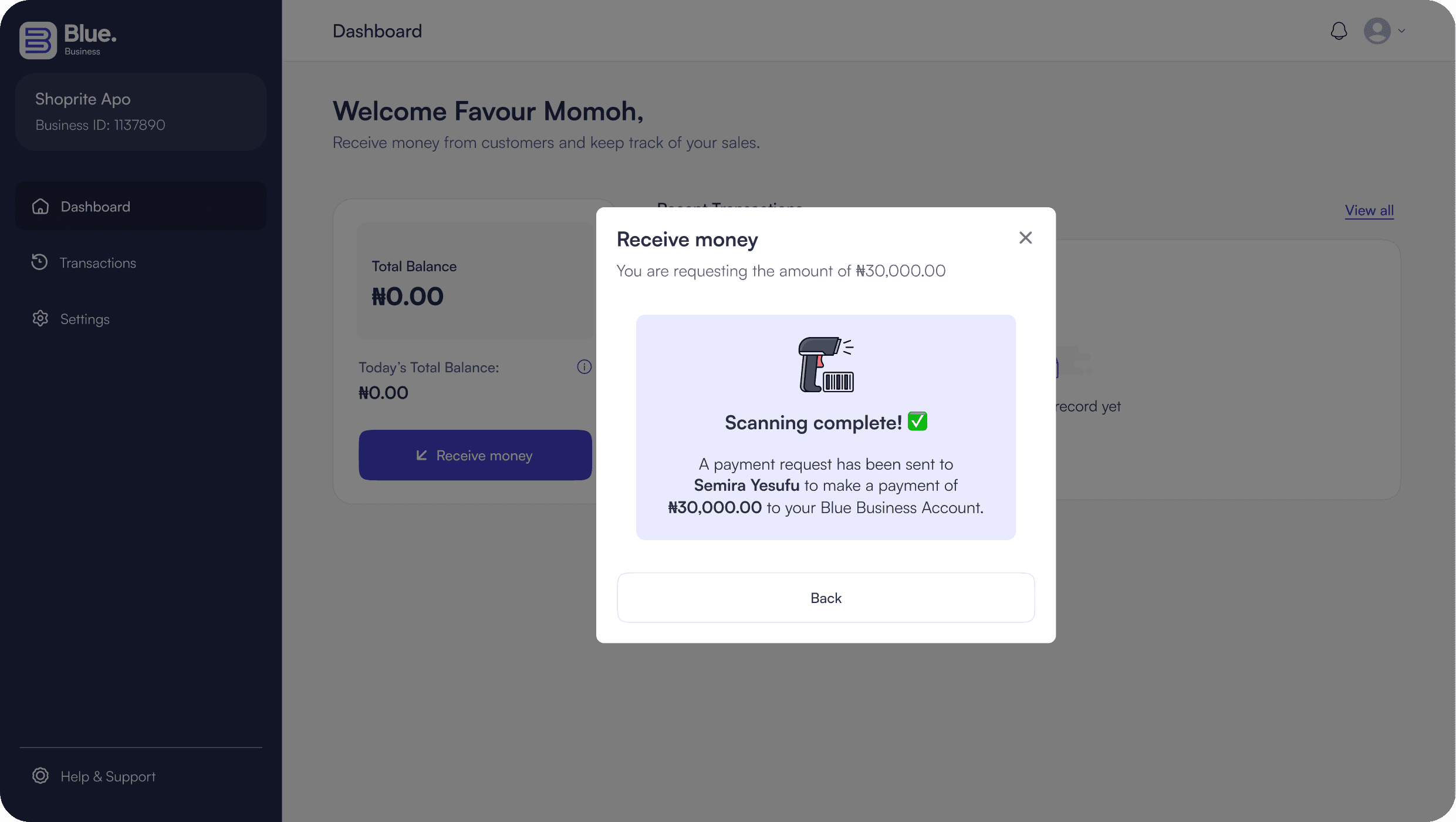
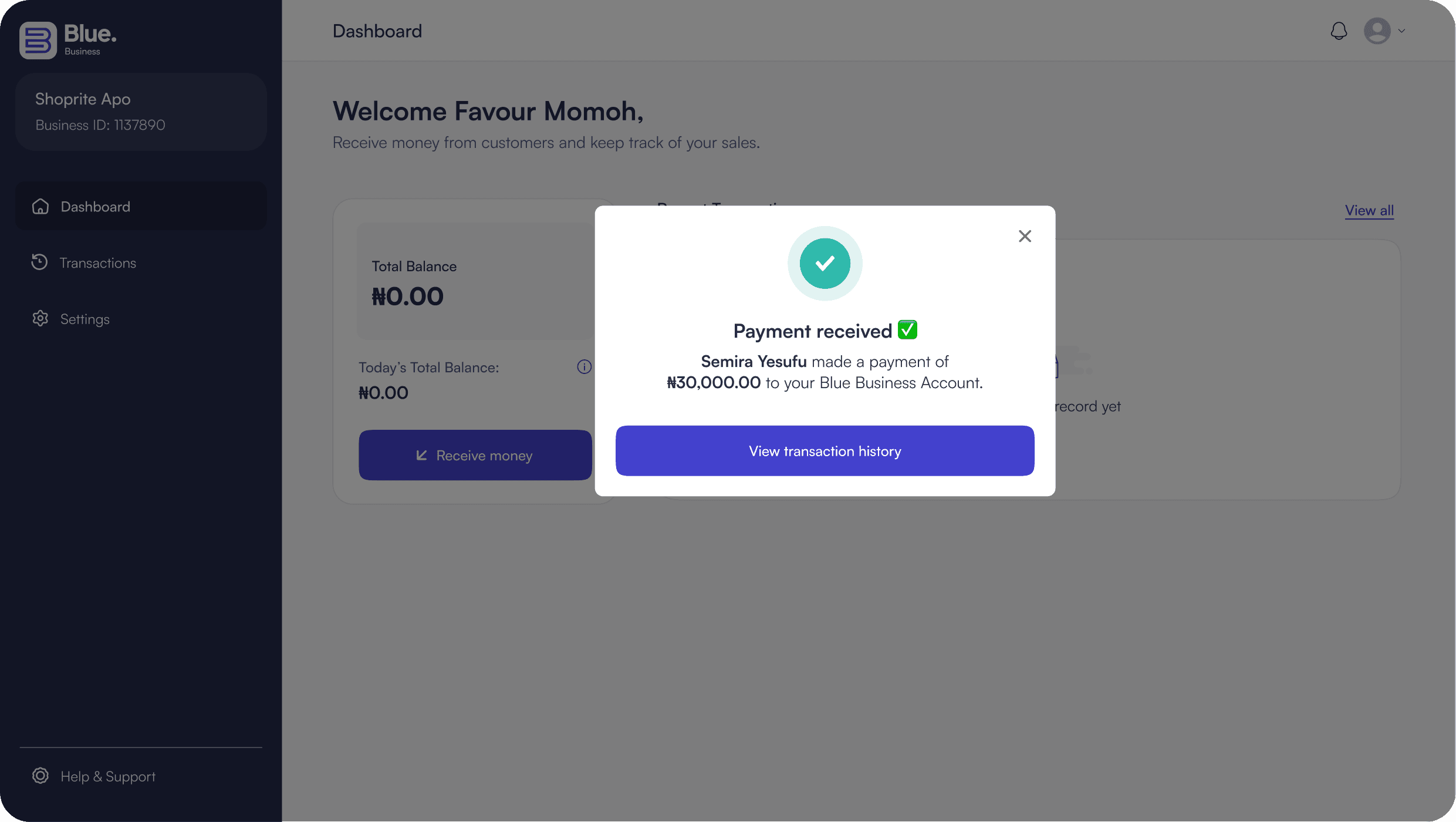
Showcasing the checkout flow facilitating payments via barcode scan (swipe/drag to view)
RESULTS & IMPACT
Usability Tests
We spent the next few months running beta tests across different stores, not just testing the app, but also getting the right barcode scanner to do the job. One particular issue that kept coming up while testing was that cashiers were constantly switching between the Blue Desktop App and their existing POS inventory system. It broke their flow and wasn't helping with speed at all. Their POS app wasn't going anywhere. It was still needed for inventory management and receipts. So asking cashiers to close or minimise it every time a customer wanted to pay just created a different version of the same problem we were trying to solve.
Designing with Familiarity in Mind
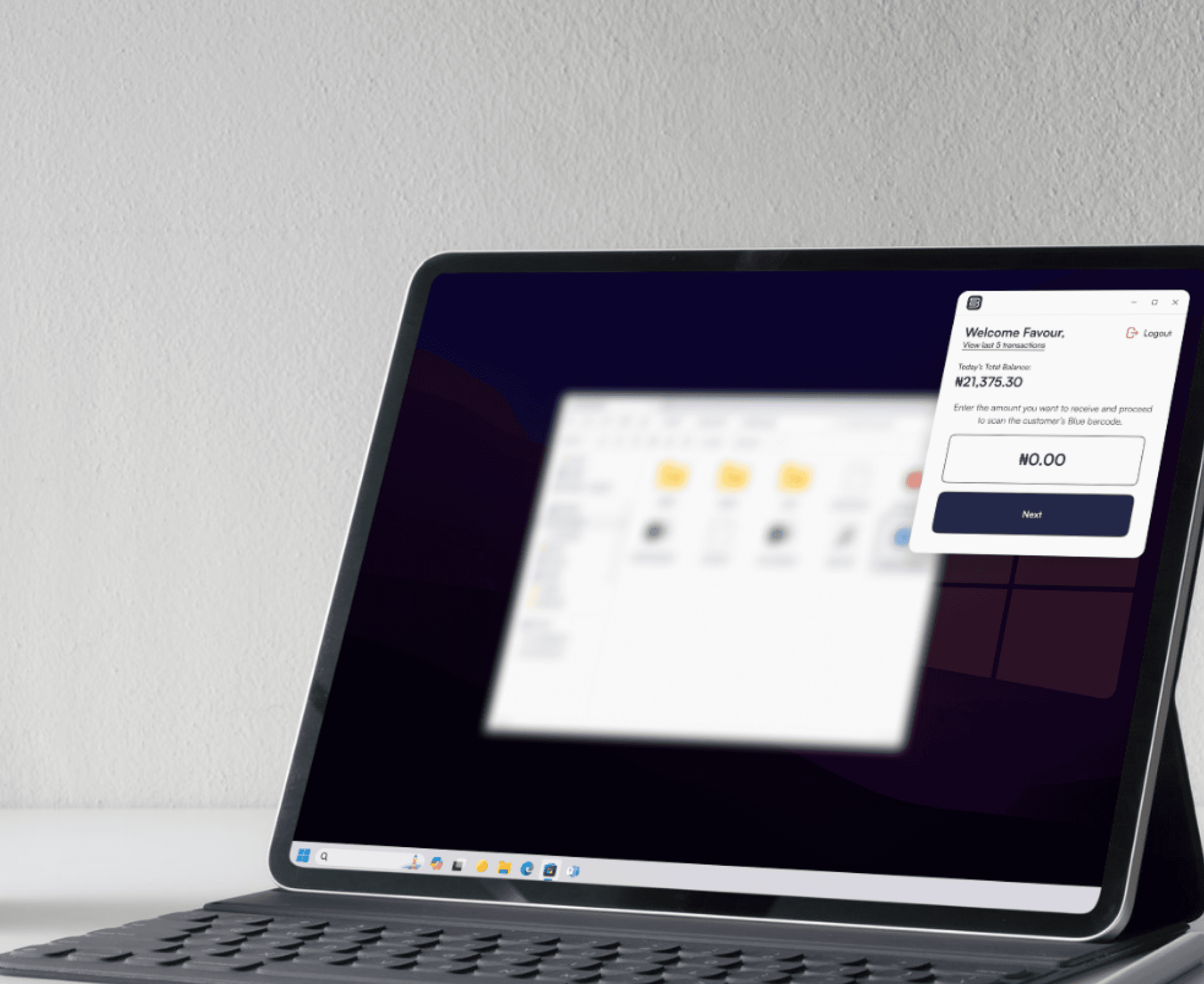
Based on the feedback gotten during the usability tests, we decided to change the approach. Instead of competing with their system and disrupting existing workflows, we redesigned the BlueBusiness Desktop App to work alongside it. We introduced a lightweight, widget-style interface that sat neatly at the top corner of the screen. This allowed cashiers to receive payments without leaving their inventory tool. The impact was immediate. Cashiers could process payments faster, stay focused, and move through transactions without interruption.
Before usability tests
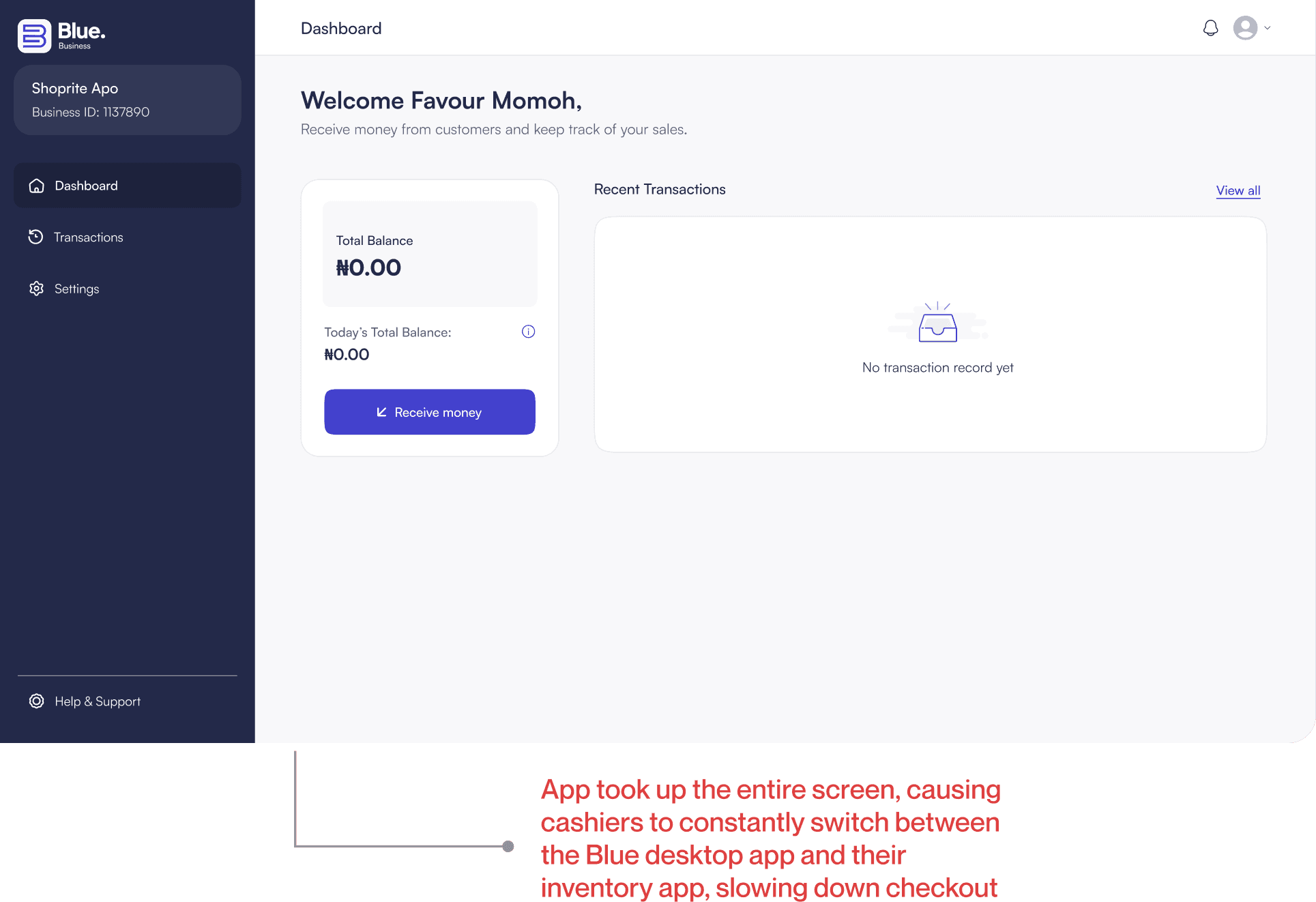
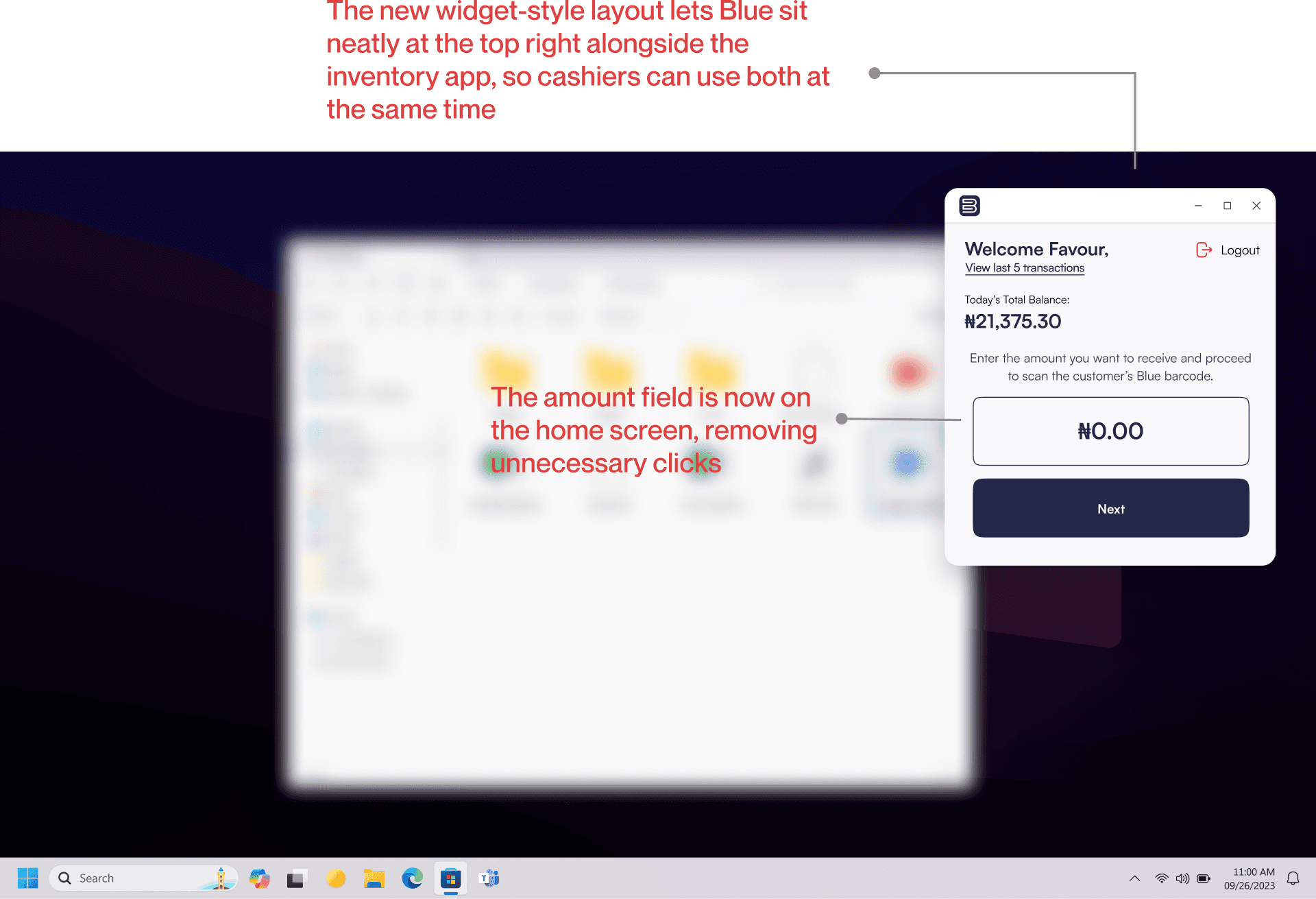
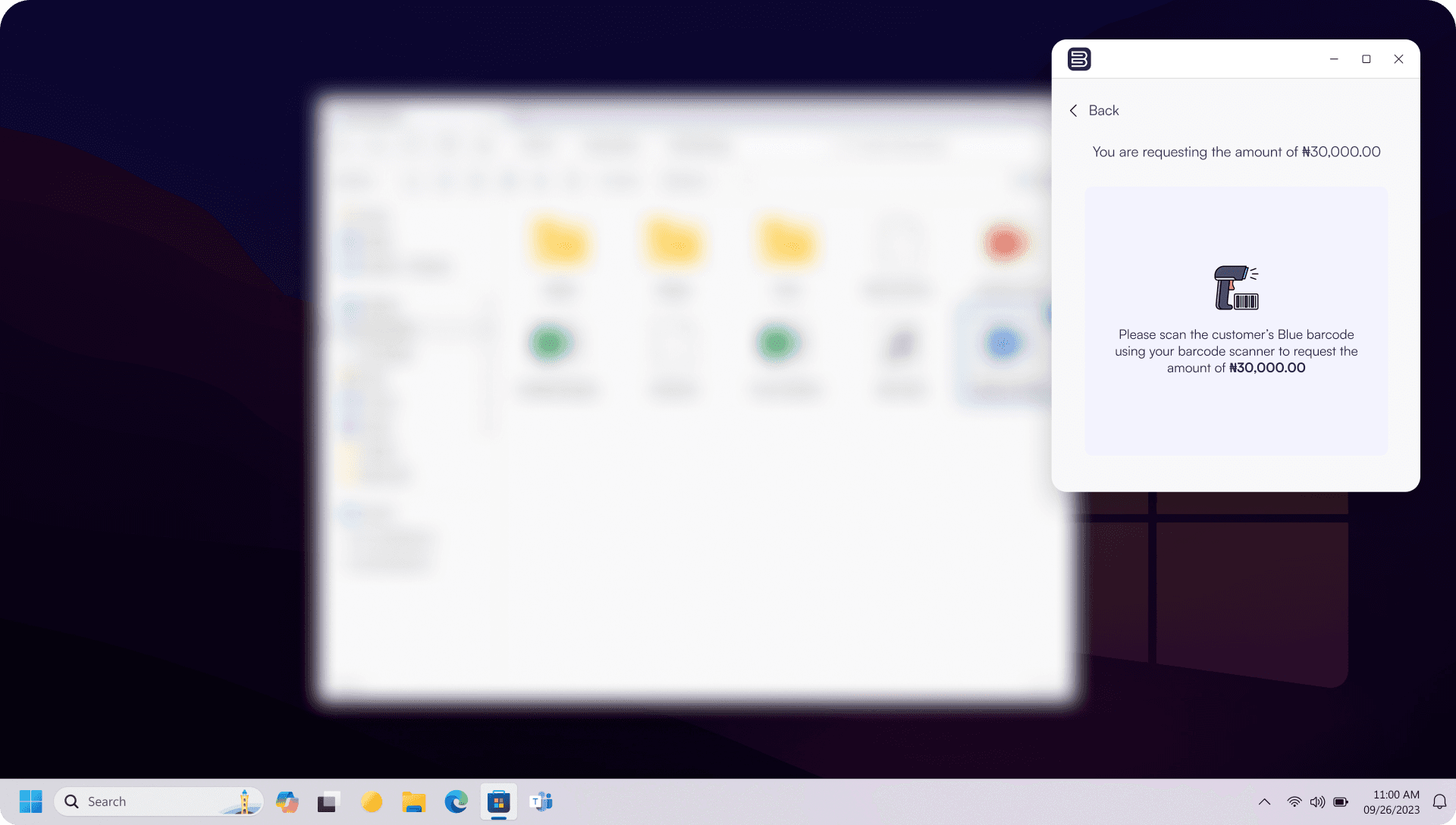
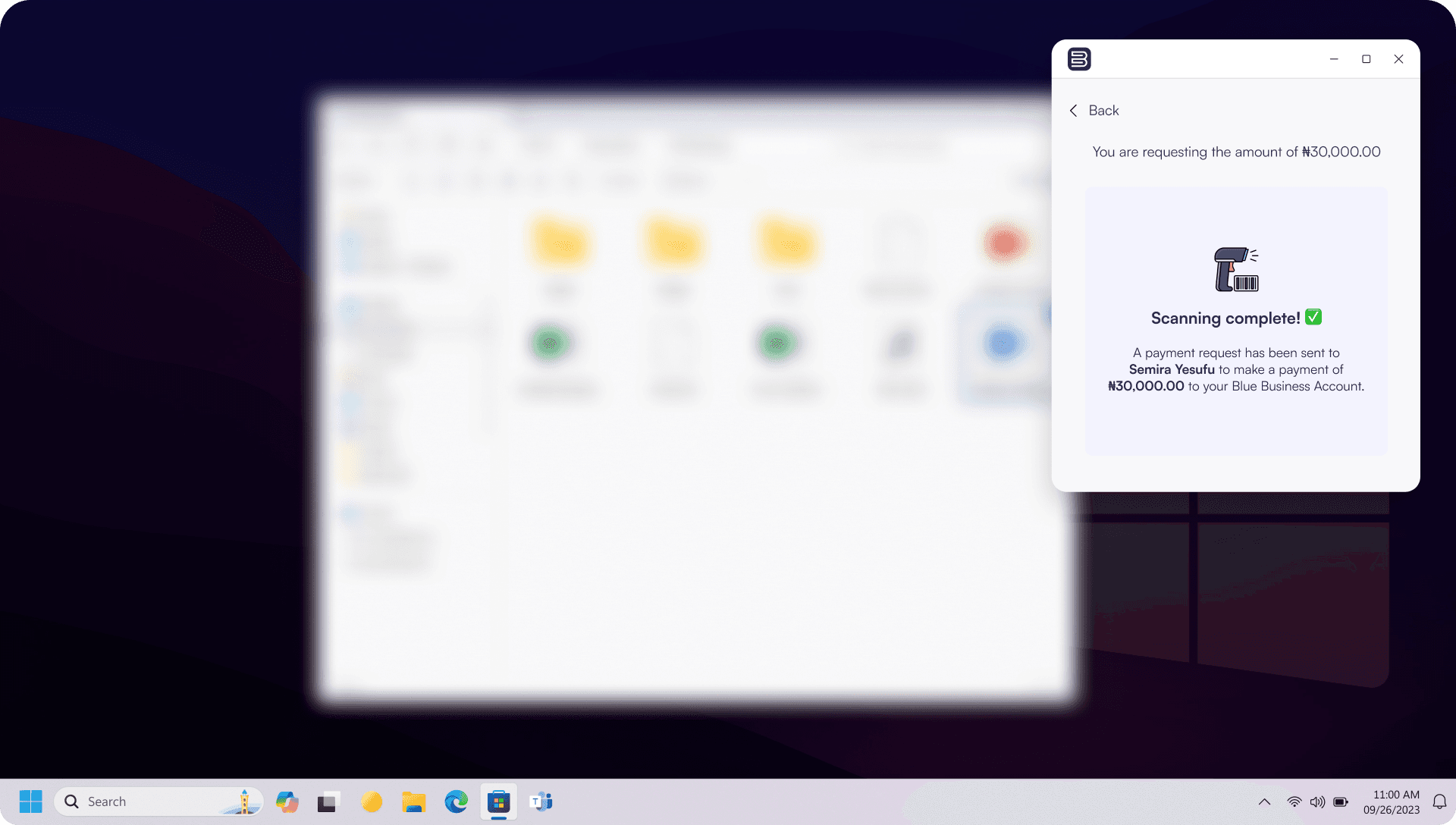
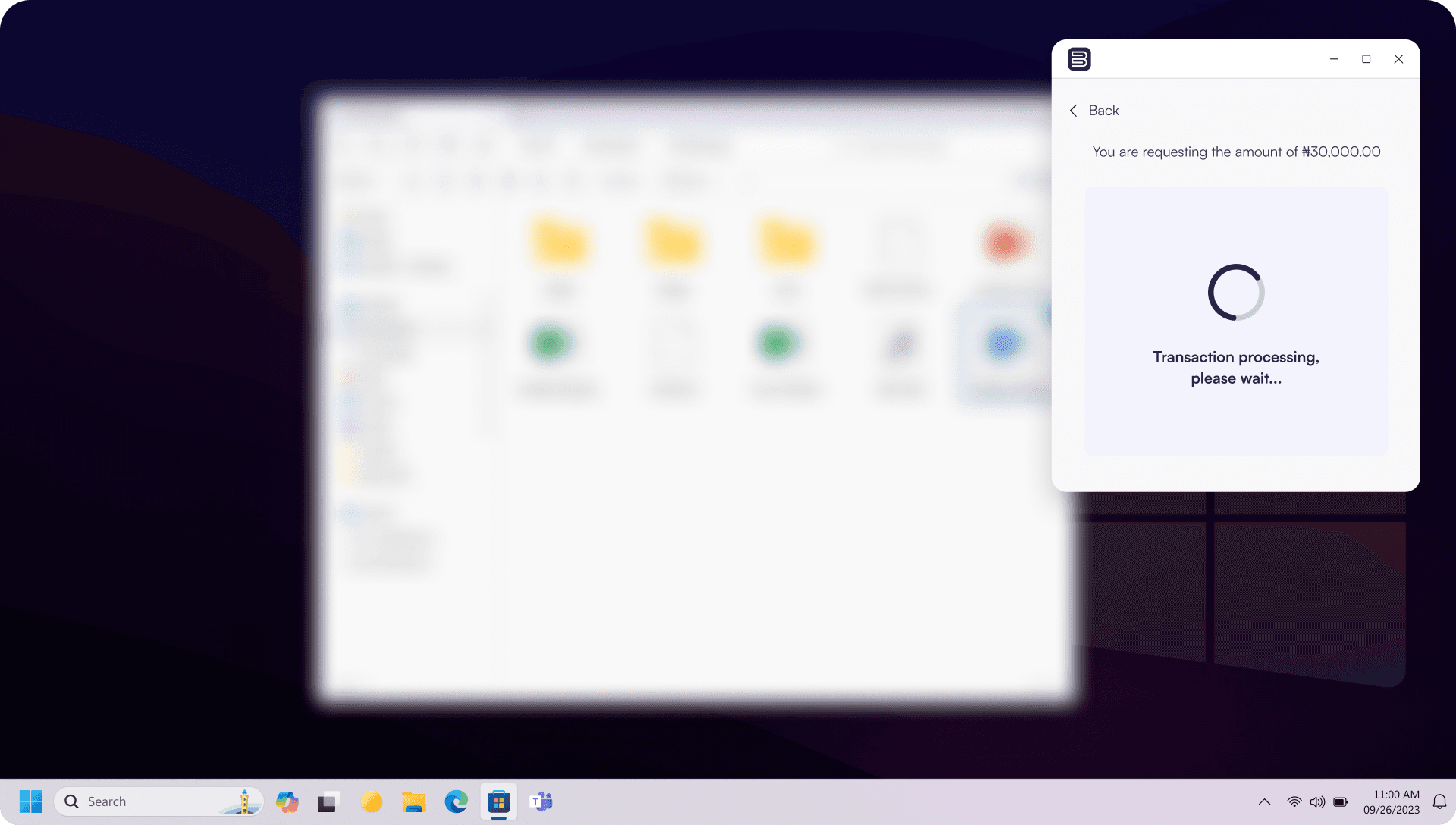
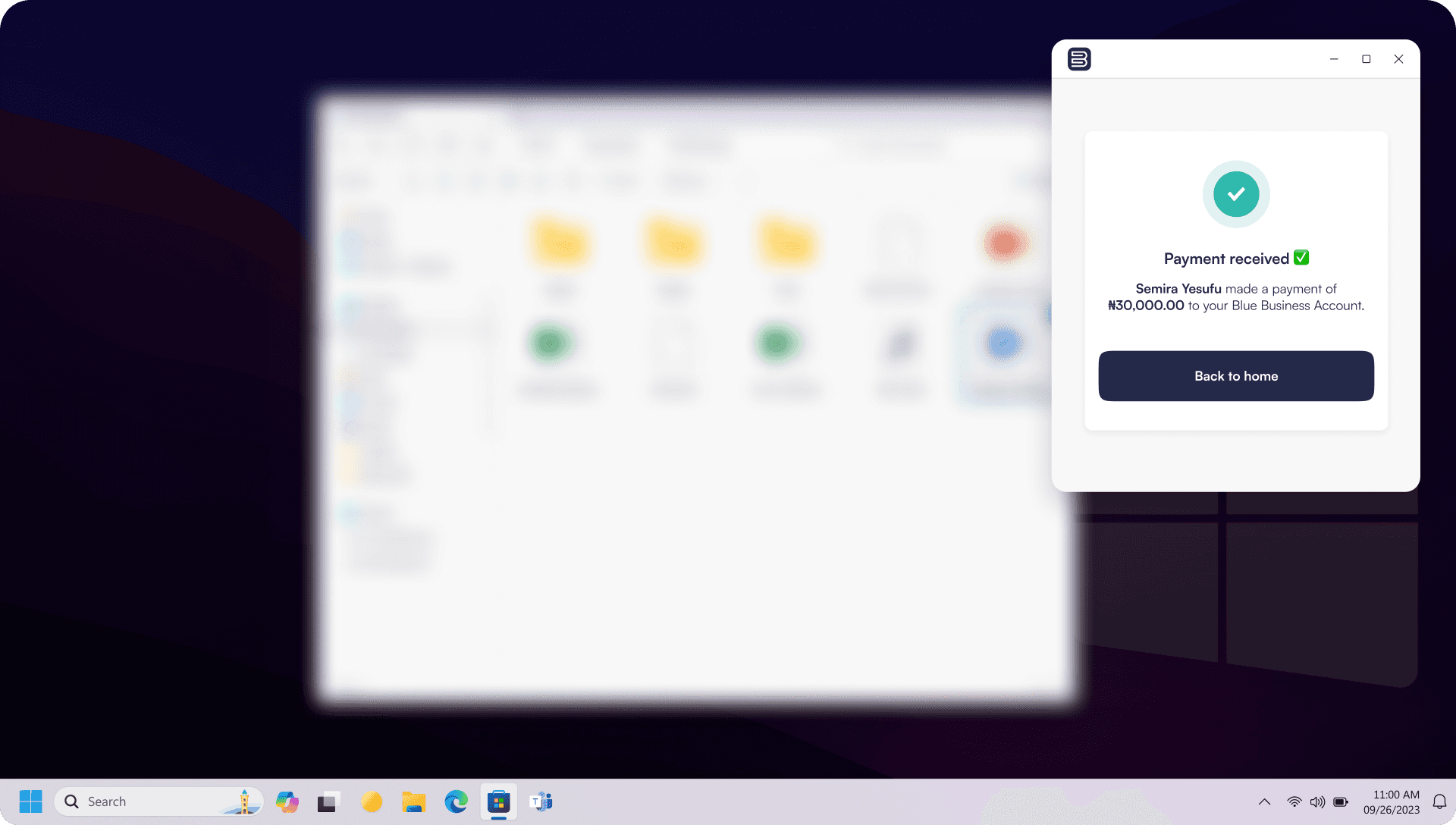
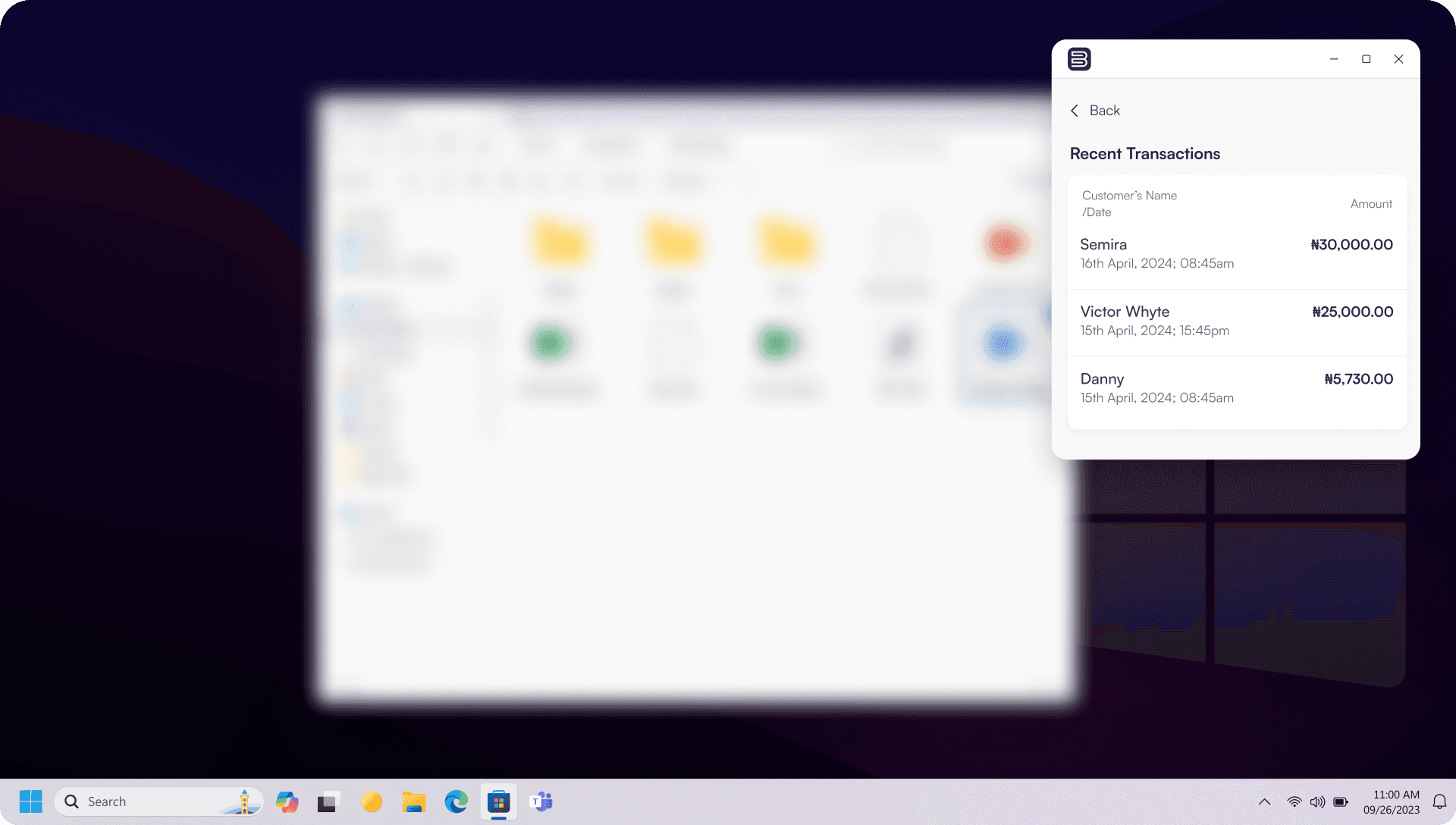
After usability tests (swipe/drag to view)
RETROSPECTIVE
Overall this project had me constantly stepping into new territory. From designing a desktop app and having to figure out how to shrink that entire experience into a functional widget, to the hardware side of things — getting the barcode scanner and software to work together.
With consumers and businesses gradually adopting the Blue app, the product was officially launched and is live in some stores across Nigeria, with businesses processing payments faster at the counter and an increase in transaction volumes. It didn't start as a grand vision. It started with one question: how do we make this actually work? And now, watching it work in the real world? That's the best kind of answer.